
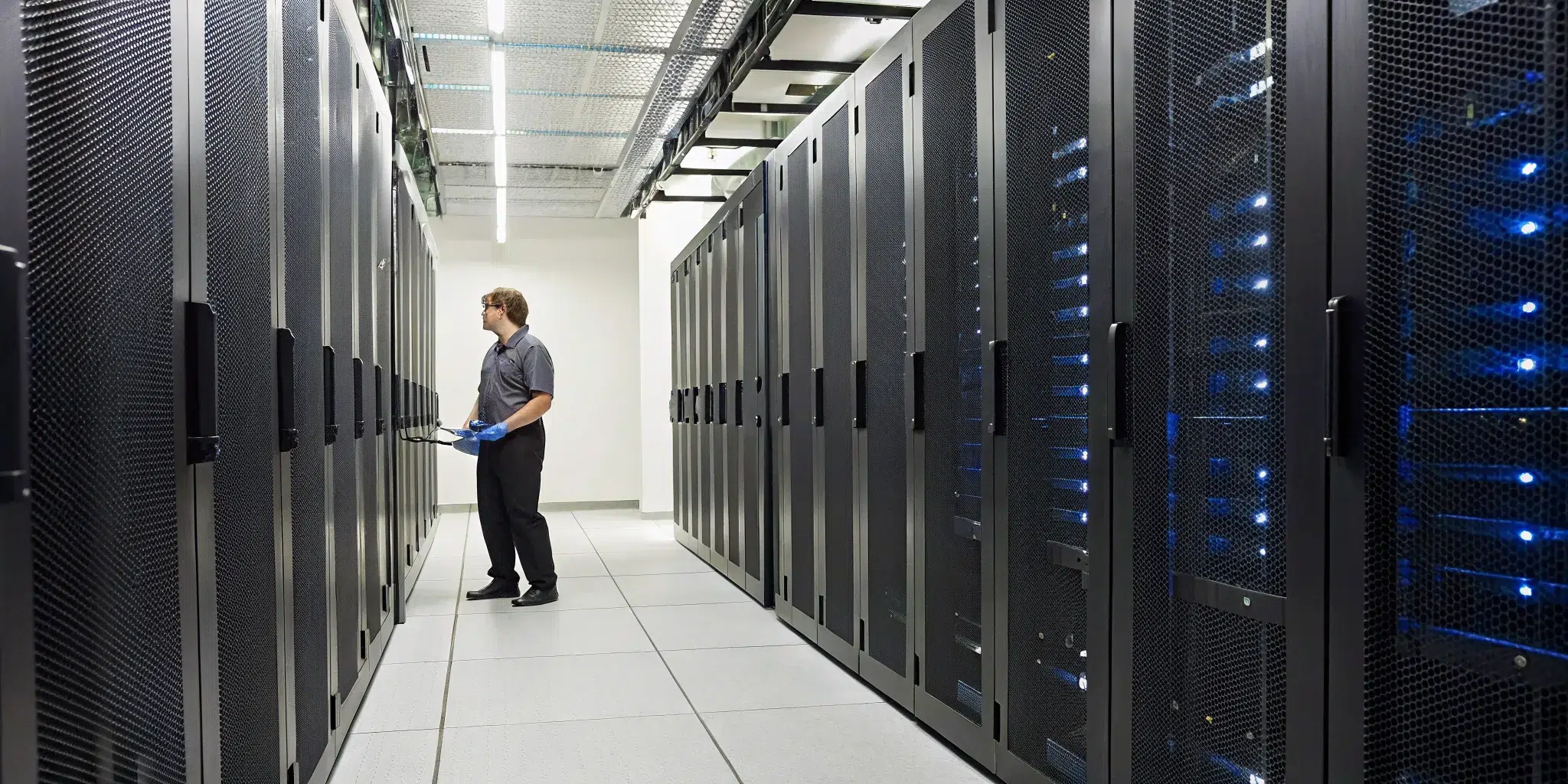
In a server room, even well-intentioned actions can have disastrous consequences. You might think you’re helping by grabbing a feather duster to tidy up a rack, but you’re actually just kicking harmful particles into the air to be inhaled by your equipment. You might use a standard shop vac, not realizing it’s a static-generating machine that could fry a server. These common mistakes can turn a routine cleaning task into a costly IT emergency. To protect your infrastructure, you need to know not just what to do, but what to avoid. This guide will show you how to clean a server room safely by highlighting the most frequent errors and providing the correct procedures to follow.
Key Takeaways
- Cleaning is a financial decision, not a janitorial task: Skipping regular server room cleaning directly risks expensive downtime and hardware failure. Dust accumulation causes overheating, which is a primary cause of system crashes and permanent data loss.
- Your tools can either protect or destroy your equipment: Standard vacuums and cotton cloths create static and spread dust, posing a threat to your hardware. Using specialized gear, such as HEPA-filter vacuums and anti-static microfiber cloths, is essential for safely removing contaminants.
- A consistent schedule requires professional help: While daily tidying is important, a truly effective strategy includes quarterly deep cleans from a specialized service. Professionals have the training to safely handle complex areas like subfloors and cable trays, ensuring the long-term health of your critical environment.
Why You Can’t Afford to Skip Server Room Cleaning
It’s easy to think of a server room as a “set it and forget it” space. As long as the lights are blinking and the fans are humming, everything’s fine, right? Unfortunately, that’s a risky assumption. Your server room is the nerve center of your entire operation, and what you can’t see, like fine dust and airborne particles, can cause the most damage. Skipping regular, professional cleaning isn’t just a housekeeping oversight; it’s a direct threat to your equipment, your data, and your bottom line.
The Impact of Dust on Server Performance
Think of dust and other contaminants as the number one enemy of your server equipment. When particles accumulate on and inside your servers, they act like a blanket, trapping heat and blocking critical airflow from fans and cooling systems. This causes the internal temperature of your hardware to rise steadily. Overheating is one of the leading causes of component failure, leading to unexpected shutdowns, performance issues, and even permanent data loss. A clean environment is essential for maintaining the optimal operating conditions your sensitive equipment needs to function reliably. Professional data center cleaning isn’t just about looking tidy; it’s about protecting the very hardware that keeps your business running.
The Real Cost of Neglecting Your Server Room
The cost of downtime can be staggering, with some estimates putting it at thousands of dollars per minute. When you consider that a significant percentage of equipment failures are linked to dust and overheating, the value of preventative cleaning becomes crystal clear. A single incident of data loss or a major hardware failure can easily cost more than years of professional cleaning services combined. Regular maintenance is an investment in your business’s continuity. By addressing contaminants before they cause a problem, you’re not just cleaning; you’re actively reducing the risk of expensive emergency repairs and catastrophic system failures. Maintaining a pristine critical environment is one of the smartest financial decisions you can make for your facility.
Preparing for a Safe Server Room Cleaning
Before a single cloth touches a surface, proper preparation is the most important step in cleaning your server room. Walking in unprepared is a recipe for accidental downtime, equipment damage, or even personal injury. A well-thought-out plan ensures the cleaning process is smooth, safe, and effective. It protects your sensitive hardware and the people working around it. Think of it as your pre-flight checklist; skipping it isn’t an option. By taking these preliminary steps, you create a controlled environment where you can clean thoroughly without causing a single issue for your operations. This groundwork separates a routine maintenance task from a potential IT catastrophe.
Use Anti-Static and ESD-Safe Gear
The invisible threat in any server room is electrostatic discharge (ESD), which is a tiny spark that can be fatal to sensitive electronic components. To prevent this, your team must use anti-static and ESD-safe gear. This includes everything from anti-static wrist straps connected to a grounding point to special mats. The tools you use are just as important. Instead of a standard shop vac that can generate static and kick up particles, you need a specialized vacuum. As the experts at DataSpan note, you should “use a HEPA-filter vacuum: This type of vacuum traps dust and doesn’t blow it back into the air,” which is crucial for maintaining air quality and preventing particles from resettling on your equipment.
Equip Your Team with Proper PPE
Safety isn’t just for the servers; it’s for your people, too. Anyone cleaning the server room should have the right personal protective equipment (PPE). This typically includes lint-free gloves to avoid leaving fingerprints or oils on components, safety glasses to protect from dust and cleaning solutions, and shoe covers to prevent tracking in outside dirt. If you’re working with a professional service, this is non-negotiable. As Abbey Cleaning points out, “If you hire outside cleaners, they should have insurance in case something goes wrong.” A team that arrives with the right PPE is a clear sign that you’re working with trained professionals who understand the unique risks of a critical environment.
Schedule Cleaning During Off-Peak Hours
To avoid disrupting daily operations, it’s always best to schedule a deep clean during your slowest periods. For most businesses, this means nights or weekends. Planning the cleaning when network traffic is low and fewer employees are working minimizes the risk of accidental disconnections or performance issues affecting your team. A user in the Spiceworks Community wisely suggests, “If you’re doing a big clean, try to do it overnight or on a weekend (like a Friday night) when fewer people are working.” This simple scheduling adjustment allows the cleaning crew to work more thoroughly and without pressure, ensuring a better, safer result for your entire infrastructure.
Document and Label Cables Before Starting
Nothing causes a post-cleaning panic quite like a mystery cable. Before a single plug is disconnected, take the time to document and label everything. A few minutes of preparation can save you hours of frustrating troubleshooting. As the team at VTC Tech advises, you should “label all cables before you unplug them so you know where they go.” You can use color-coded tags, numbered labels, or a simple spreadsheet to map out your connections. Taking photos of the front and back of your racks can also serve as a helpful visual guide. This meticulous approach is a hallmark of professional data center cleaning and ensures everything goes back exactly where it belongs.
Your Essential Server Room Cleaning Toolkit
Using the right tools for server room cleaning isn’t just a suggestion; it’s a requirement for protecting your valuable equipment. Your standard office cleaning cart simply won’t do. In fact, using the wrong supplies can introduce static, spread contaminants, and even cause permanent damage to sensitive electronics. Building a proper toolkit is the first step toward a safe and effective cleaning process. Below are the non-negotiable items you’ll need to get the job done right without putting your hardware at risk.
HEPA-Filter and ESD-Safe Vacuums
A regular vacuum cleaner is one of the worst tools you can use in a server room. It tends to exhaust fine dust particles back into the air, which then settle right back onto your equipment. Instead, you need a vacuum with a High-Efficiency Particulate Air (HEPA) filter. These specialized filters are designed to trap at least 99.97% of airborne particles as small as 0.3 microns. Just as important, your vacuum must be Electrostatic Discharge (ESD) safe to prevent static buildup that could fry sensitive components. A professional data center cleaning service will always use certified ESD-safe, HEPA-filtered vacuums to ensure dust is completely removed, not just redistributed.
Microfiber Cloths and Anti-Static Solutions
When it comes to wiping down surfaces, leave the paper towels and cotton rags behind. They shed lint, creating more contamination than they remove. The correct tool for the job is a lint-free microfiber cloth. These cloths are designed to attract and hold onto dust particles without leaving any fibers behind. For best results, pair them with a cleaning solution specifically formulated to be anti-static. This combination allows you to safely wipe down server casings, racks, and other surfaces, removing grime while neutralizing any static charge. This is a fundamental practice in any critical environment cleaning to maintain operational integrity.
Compressed Air for Hard-to-Reach Areas
Some spots are just too tight for a vacuum nozzle or cloth to reach, like the inside of server chassis, fan blades, and heat sinks. This is where compressed air comes in handy. Use it in short, controlled bursts to dislodge stubborn dust from these intricate areas. The key is to have your ESD-safe vacuum running nearby with the hose positioned to immediately capture the dust you blow out. This prevents the debris from simply moving from one component to another. Think of it as a two-part technique: one tool to dislodge, and another to capture. This ensures a thorough clean without spreading contaminants.
What to Never Bring Into a Server Room
Just as important as what you use is what you don’t use. Bringing the wrong items into your server room can undermine all your cleaning efforts and introduce new risks. To maintain a clean and safe space, make sure these items never cross the threshold:
- Brooms or Feather Dusters: These tools are notorious for kicking dust and debris into the air, which is the exact opposite of your goal.
- Standard Household Cleaners: Ammonia or water-based cleaners can cause corrosion and short circuits. Only use approved anti-static solutions.
- Food, Drinks, and Cardboard: These items introduce dust, organic particles, and the potential for spills and pests. Strict protocols, much like those for laboratory cleaning, are essential for preventing contamination.
How to Clean a Server Room: A Step-by-Step Guide
Cleaning a server room isn’t like tidying up an office. It’s a precise operation where one wrong move could have serious consequences for your equipment and data. A systematic approach is key to ensuring you remove harmful contaminants without disrupting your critical operations. Following a clear, step-by-step process will help you maintain a healthy environment for your hardware. Think of it as a technical procedure, not just a cleaning task. These steps will guide you through a basic cleaning, but remember that for a truly deep and compliant clean, a professional team is often your best bet.
Step 1: Prepare and Declutter the Space
Before any cleaning begins, the first step is to prepare the room. Over time, server rooms can easily become a storage space for old equipment, spare cables, and cardboard boxes. This clutter not only blocks airflow but also creates more surfaces for dust to settle on and introduces flammable materials into a sensitive area. Start by removing anything that doesn’t belong. This includes old server hardware, unused patch cables, and general office junk. A clean, organized space is much safer and easier to work in, allowing you to access all the areas that need attention.
Step 2: Vacuum and Wipe Down All Surfaces
With the clutter gone, you can start the actual cleaning. It’s crucial to use the right tools for the job. A specialized HEPA-filter vacuum is essential because it traps microscopic dust particles instead of blowing them back into the air where they can enter your equipment. Start from the top and work your way down. Use anti-static, lint-free microfiber cloths to wipe down server racks, cabinet doors, walls, and other surfaces. This methodical approach ensures you’re capturing dust effectively. For a comprehensive clean that meets industry standards, our data center cleaning services use certified equipment to protect your assets.
Step 3: Clean Cooling Systems and Vents
Your server room’s cooling system is its lifeline, and keeping it clean is vital for preventing overheating. Dust and debris can easily clog air intakes, filters, and the fans on your server hardware, forcing them to work harder and eventually fail. Gently use your HEPA vacuum with a brush attachment to clean dust from external vents and air intakes on your CRAC units and servers. Be sure to check the air filters on your cooling units and replace them as needed, following the manufacturer’s recommended schedule. This simple maintenance step can significantly improve cooling efficiency and reduce energy consumption.
Step 4: Clean Raised Floors, Subfloors, and Ceilings
The spaces above and below your equipment are major collection points for dust and contaminants. If you have a raised floor, this area requires special attention. The subfloor, or underfloor plenum, can accumulate years of dust and debris that gets circulated by your cooling system. A proper raised floor cleaning involves carefully lifting perforated tiles to vacuum the subfloor with a HEPA-filter vacuum. The floor tiles themselves should be wiped with a damp mop using an anti-static, non-residue cleaning solution. Don’t forget to look up; gently vacuuming ceiling tiles and light fixtures will prevent dust from falling onto your sensitive equipment below.
Step 5: Reassemble, Reconnect, and Verify
After all the surfaces have been cleaned, the final step is to put everything back in its place and ensure all systems are running correctly. If you had to unplug any equipment, this is where careful labeling pays off. Methodically reconnect all cables and power everything back on. Once the systems are up, it’s a good idea to check your environmental monitoring software. Look for any alerts and verify that temperatures and airflow are within normal operating ranges. This final check confirms that the cleaning was successful and that your server room is back to its optimal, fully operational state.
Key Areas to Focus On During Cleaning
A truly effective server room cleaning goes far beyond a quick surface wipe-down. It requires a detailed, methodical approach that targets the specific areas where dust, debris, and other contaminants can wreak the most havoc on your sensitive IT equipment. Focusing on these key zones not only improves the appearance of your space but also directly contributes to the operational integrity and longevity of your entire infrastructure. A clean server room is a reliable server room, plain and simple. When you understand where to direct your efforts, you can proactively prevent overheating, reduce the risk of static discharge, and maintain the optimal airflow that your hardware needs to perform at its best.
This targeted strategy is a core part of any professional critical environment cleaning plan because it addresses risk at its source. It’s about looking beyond the obvious and getting into the nooks and crannies where problems start. From the internal components of your servers to the hidden spaces under the floor, each area presents a unique challenge and requires a specific technique. Neglecting any one of these can undermine the cleanliness of the entire room. Let’s walk through the four most important areas to concentrate on during your next cleaning session to ensure a comprehensive and effective result.
Servers and Storage Racks
Your servers and storage racks are the brain and memory of your operation, so they need careful attention. Dust is their enemy, acting as an insulator that traps heat and forces cooling fans to work overtime. To clean them safely, use an ESD-safe vacuum or compressed air to gently remove dust from chassis, fans, and power supplies. It’s crucial to avoid using any liquid cleaners directly on the hardware, as moisture can cause short circuits and permanent damage. Think of it as a delicate but necessary procedure. A meticulous approach to data center cleaning ensures your most critical assets are protected from the silent threat of contamination, keeping them running smoothly and efficiently.
Cooling Units and Air Vents
Your server room’s cooling system is its lifeline, and its performance depends on being clean. Clogged air vents and dirty filters restrict airflow, which can quickly lead to equipment overheating. Make it a habit to regularly inspect and clean your cooling units and all associated vents. Check the air filters and change them if needed; clean systems work more efficiently and can even extend the life of your filters. By keeping these components free of dust and debris, you ensure your cooling system can do its job effectively. This simple maintenance step helps maintain a stable temperature, protecting your servers from heat-related failures and reducing unnecessary energy consumption.
Cable Trays and Pathways
That tangled mess of cables under the floor or behind the racks isn’t just an eyesore; it’s a dust magnet that chokes airflow. Organizing your cable trays and pathways is a vital part of server room maintenance. Take the time to group similar cables together using ties or trays, and label everything clearly. This not only looks more professional but also makes troubleshooting and future upgrades much easier. Most importantly, it’s an opportunity to identify and remove any old or abandoned cables that are just taking up space and collecting dust. A well-managed cable system improves airflow around your equipment, reducing heat buildup and minimizing the risk of accidental disconnections.
Underfloor Plenums and Ceiling Voids
What you can’t see can definitely hurt you. The spaces beneath your raised floors and above your ceiling tiles are notorious for collecting dust, debris, and even construction materials. This hidden buildup can become a serious fire hazard or get circulated into your equipment by the cooling system. A thorough cleaning of these areas is non-negotiable. Using a HEPA-filter vacuum is essential to capture fine particles without releasing them back into the air. When tackling a raised floor cleaning, it’s best to work in small, manageable sections to control dust and avoid disrupting the entire environment. This meticulous process removes contaminants at the source, ensuring a truly clean and safe space.
How Often Should You Clean Your Server Room?
Keeping your server room clean isn’t a one-and-done task; it’s about creating a consistent maintenance rhythm. The right cleaning frequency prevents contaminant buildup that can lead to equipment failure and costly downtime. While every facility is different, your schedule will depend on factors like the amount of foot traffic, the efficiency of your air filtration system, and the overall condition of your building. A brand-new data center might have different needs than an older server room in a multi-use office building.
Think of your cleaning plan as three distinct layers: daily tidying, monthly maintenance, and quarterly deep cleaning. This structured approach helps your team stay on top of small issues while ensuring that more complex tasks are handled by professionals. By integrating these routines, you create a comprehensive strategy that protects your critical infrastructure. A well-maintained space is a reliable one, and a proactive critical environment cleaning plan is your best defense against dust and debris. This framework makes it easy to assign tasks and budget for professional services, ensuring nothing falls through the cracks.
Your Daily Checklist
Your daily cleaning routine should be quick, simple, and focused on preventing clutter and debris from accumulating. This isn’t about a deep scrub; it’s about maintaining a baseline of cleanliness in just 10 to 15 minutes. Start by removing any trash, boxes, or stray materials from the room. These items not only create a fire hazard but also obstruct airflow. Next, do a quick visual scan for any obvious dirt or spills and address them immediately. If your server room gets a lot of foot traffic, a brief vacuum of the entrance area with a HEPA-filter vacuum can make a huge difference in trapping dust before it circulates. This simple daily habit is your first line of defense.
Your Monthly Checklist
Once a month, it’s time to go a little deeper than your daily tidying. This is your chance to tackle the dust and grime that inevitably settles over time. Use anti-static wipes or dampened microfiber cloths to gently wipe down the exterior surfaces of server racks, cabinets, and workstations. Pay attention to flat surfaces where dust loves to gather. This is also the perfect time to inspect your cooling systems. Check the air intakes for dust buildup and look at your HVAC filters. Clogged filters force your cooling units to work harder, so change them as needed to maintain optimal airflow and energy efficiency. A consistent monthly routine keeps contaminants under control and helps you spot potential issues early.
Your Quarterly Deep Clean
Every three to four months, your server room needs a professional-grade deep clean. This is when you address the areas your in-house team can’t, and shouldn’t, handle. A quarterly deep clean involves tackling contaminants in the subfloor plenum, on top of racks, within cable trays, and in other hard-to-reach spaces. Because this work requires specialized equipment and techniques to be done safely, it’s best to schedule a professional data center cleaning service. To minimize disruption to your operations, plan these deep cleans for off-peak hours, like an evening or weekend. This ensures a thorough job without interfering with your team’s workflow and keeps your critical environment in pristine condition.
Common Server Room Cleaning Mistakes to Avoid
Keeping your server room clean is non-negotiable, but how you clean it matters just as much as how often. Using the wrong methods or tools can introduce new risks, turning a well-intentioned effort into a costly problem. To protect your critical infrastructure, it’s essential to be aware of the common missteps that can lead to equipment damage or downtime. Let’s walk through some of the most frequent mistakes we see and how you can avoid them.
Using Standard Vacuums or Cleaning Supplies
It might be tempting to grab the janitor’s cart and get to work, but standard cleaning supplies are a major hazard in a server room. Regular vacuums, for instance, can generate static electricity and often lack the filtration needed to trap microscopic dust particles. Instead of removing contaminants, they can blow them right back into the air and onto your sensitive equipment. Likewise, feather dusters and brooms simply stir up dust.
For a safe clean, you need tools designed for the job. This includes vacuums with HEPA filters that capture fine particles and prevent them from recirculating. You should also use anti-static, lint-free microfiber cloths for wiping down surfaces. And it should go without saying, but keep water and general-purpose liquid cleaners far away from your electronics.
Forgetting About Airflow and Cable Management
A tangled mess of cables under a raised floor or behind a rack is more than just an eyesore; it’s a direct threat to your equipment. Disorganized cables obstruct airflow, creating hot spots that can cause servers to overheat and fail. When dust and debris get trapped in these cable nests, the problem gets even worse. Proper cleaning isn’t just about wiping surfaces, it’s about maintaining the entire environment.
Before you even begin wiping things down, address your cable management. Organize cables with ties or trays, group similar cables together, and label everything clearly. This not only improves cooling efficiency but also makes troubleshooting much easier down the road. A key part of critical environment cleaning involves removing old or abandoned cables to clear pathways for cool air to circulate freely.
Neglecting Environmental Monitoring
Cleaning your server room shouldn’t be an isolated task. It’s a crucial part of a larger strategy for environmental management. Dust and dirt are often symptoms of other issues, like an inefficient HVAC system. If you clean the room but ignore the source of the contaminants, you’ll be fighting a losing battle. For example, failing to change your HVAC filters regularly allows dust, pollen, and other particles to be pumped directly into your critical space.
Integrate your cleaning schedule with your environmental monitoring. Keep a close watch on temperature and humidity levels, as fluctuations can indicate airflow problems. A thorough raised floor cleaning can significantly improve airflow from the subfloor plenum, but only if the rest of your cooling system is also maintained.
Assuming Any Cleaning Service Will Do
A server room is not just another office. It’s a highly sensitive environment where a single mistake can have cascading consequences. Handing the job over to a standard janitorial service that lacks specialized training is a significant risk. They may not have the right equipment, understand the dangers of electrostatic discharge, or know the proper procedures for working around active hardware. This is one area where you can’t afford to cut corners.
Hiring a professional team that specializes in data center cleaning is an investment in your business’s continuity. Trained technicians understand the unique requirements of these spaces. They use the correct tools and anti-static solutions, follow industry best practices, and know how to work safely and efficiently to minimize any risk to your operations.
Is Professional Server Room Cleaning Worth It?
After learning what it takes to properly clean a server room, you might be wondering if it’s a job you can handle in-house. While daily tidying is manageable, a deep clean is a different story that carries significant risks if done incorrectly. So, is hiring a professional team worth the investment? The short answer is yes, absolutely. Think of it less as an expense and more as an insurance policy for your most valuable digital assets. A professional team brings expertise, specialized equipment, and a methodical approach that protects your hardware from the hidden dangers of dust and contamination. They understand the delicate balance of the environment and work to eliminate threats without causing accidental damage or costly downtime. This allows you to focus on your core operations with the confidence that your critical infrastructure is in safe hands.
The Benefits of Hiring a Professional Team
Hiring a dedicated team for your critical environment cleaning is one of the smartest preventative measures you can take. Regular, professional cleaning helps prevent expensive repairs, unexpected system breakdowns, and catastrophic data loss. When you weigh the cost of a quarterly cleaning against the price of replacing a single server, let alone an entire rack, the value becomes clear. A clean environment allows your equipment to run efficiently and extends its lifespan, saving you a significant amount of money and stress down the road. It’s a proactive strategy that keeps your operations smooth and your hardware healthy, ensuring your server room remains a reliable asset instead of a potential liability.
Specialized Training and Industry Standards
Cleaning a server room is nothing like tidying up an office. This highly sensitive space demands trained experts who understand the risks involved. Professionals use specific methods and specialized, anti-static equipment to remove contaminants without causing electrostatic discharge (ESD), which can fry your components. They are trained to work around delicate hardware and complex cabling, following strict industry standards to ensure every surface is free of harmful particles. Furthermore, a reputable data center cleaning service will be fully insured. This protects you in the unlikely event that something goes wrong, giving you peace of mind that your regular janitorial service simply can’t offer.
When to Call in the Professionals
So, how often do you need this level of service? As a general rule, it’s a good idea to schedule a professional deep clean for your server room at least quarterly. However, you might need more frequent service depending on foot traffic, the age of your facility, or nearby construction. You should always call in professionals after any renovation or construction project to remove fine dust and debris. It’s also wise to schedule a cleaning before an audit or if you start noticing a rise in equipment temperatures. A professional team can also handle complex tasks like raised floor cleaning, which is crucial for maintaining proper airflow and a contaminant-free environment.
Related Articles
- Key Tips For Server Room Cleaning | Foreman Pro Cleaning, LLC
- 5 Reasons Why Your Server Room Needs to Be Spotless | Foreman Pro Cleaning
- Server Rack Cleaning: Why It Matters for Facility Managers
Frequently Asked Questions
Why can’t my regular cleaning crew just handle the server room? Your server room is a sensitive environment, not just another office space. Standard janitorial services often use tools like cotton cloths and regular vacuums that can create static and lint, which are dangerous to your hardware. A professional team is trained specifically to work around critical equipment, understands the risks of electrostatic discharge, and uses specialized, anti-static gear to clean safely and effectively without causing accidental downtime.
What’s the single biggest risk of a dusty server room? The most immediate and costly risk is equipment overheating. Dust acts like an insulating blanket on your servers, trapping heat and blocking airflow from cooling fans. This forces components to run hotter than they should, which can lead to performance issues, sudden shutdowns, and even permanent hardware failure. A single overheating incident can easily cost more in downtime and repairs than years of preventative cleaning.
How do I know if it’s time for a professional deep clean? While a quarterly deep clean is a good rule of thumb, there are a few clear signs it’s time to call in the experts. If you notice your equipment temperatures are slowly creeping up, it’s a major red flag. You should also schedule a professional cleaning immediately after any construction or renovation in your building, as fine dust can travel through the HVAC system. If you can’t remember the last time the subfloor or ceiling void was cleaned, it’s definitely time.
Can I just use a can of compressed air to clean my servers? Using compressed air by itself is a common mistake. While it’s great for dislodging dust from tight spaces like fan blades and heat sinks, it doesn’t actually remove the contaminants from the room. It just blows them into the air, where they can settle right back onto other components. The proper technique is to use compressed air in short bursts while simultaneously using a running HEPA-filter vacuum to capture the debris as it becomes airborne.
Is there a “safe” way to clean around all the cables without unplugging everything? Absolutely, and this is where professional expertise really shines. A trained team knows how to carefully work around complex cabling without causing disruptions. They use specialized vacuum attachments and techniques to clean cable trays and pathways. Part of the process also involves organizing and managing those cables, which improves airflow and makes future maintenance much easier. For most routine cleaning, nothing needs to be unplugged.
