
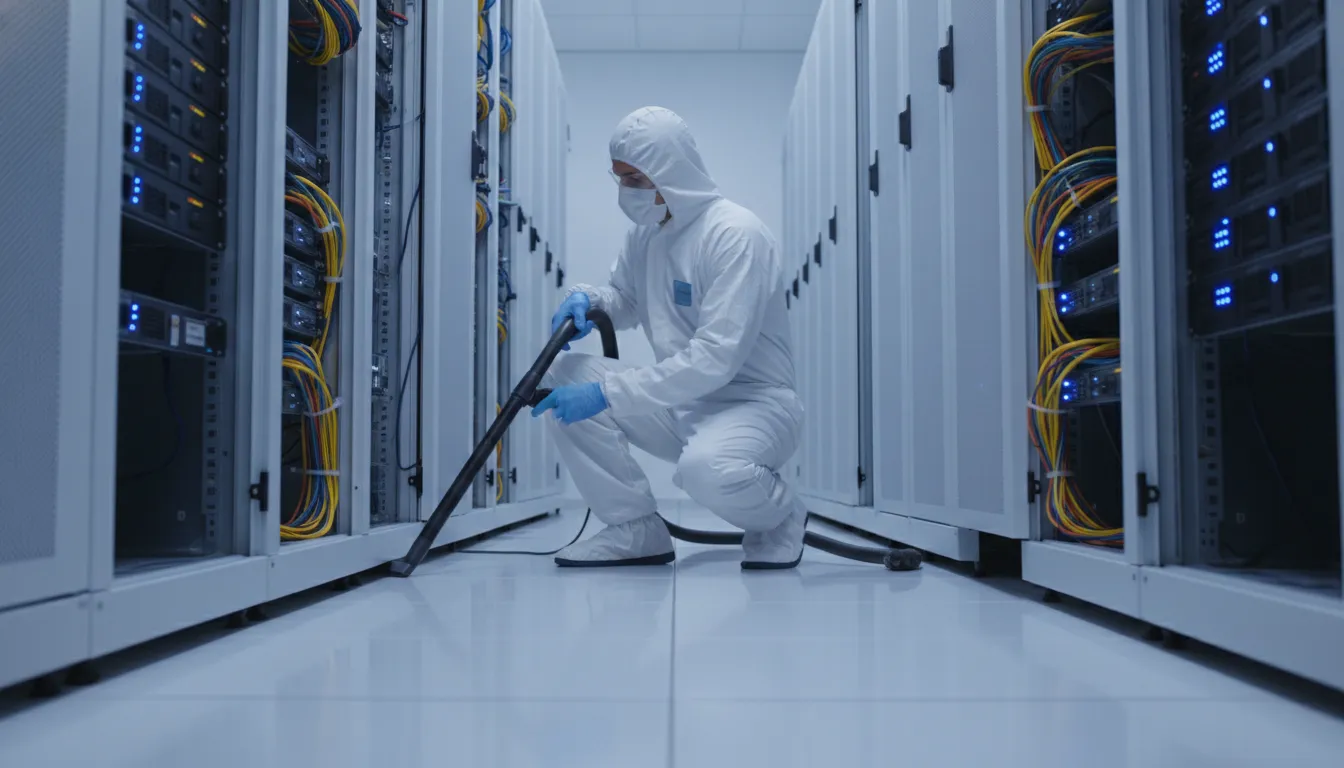
One missed cleaning zone can turn routine dust into an uptime concern. In a data center, controlled cleaning protects airflow, sensitive hardware, and the teams accountable for continuous operation.
Need a documented cleaning plan for a live critical environment? Request Foreman Pro Cleaning data center cleaning services or call (866) 985-7052.
A data center cleaning checklist from Foreman Pro Cleaning helps facility managers and IT operations leaders control particulate debris around critical equipment, airflow paths, occupied service zones, and cleaning records. It should set frequencies and owners for routine inspections, high-traffic floors, raised-floor plenums, rack exteriors, cable areas, approved ESD-safe methods, HEPA-filtered equipment, and documented completion signoff. NIST explains that airflow, filtration, and surface deposition affect contaminant behavior; a documented checklist turns that risk into controlled, trackable work before sensitive hardware is affected. Used correctly, it guides approved cleaning around live systems, records completed work, identifies developing contamination early, and helps protect uptime without introducing new avoidable operational hazards.
The central question is simple: which cleaning actions belong on a repeatable schedule for a live critical environment? Next, Data center cleaning checklist: what to include maps the surfaces, controls, equipment, and documentation a facility team should plan for. Here’s how.
Data center cleaning checklist: what to include
A data center cleaning checklist defines who cleans, where work occurs, which tools are allowed, and how each visit is recorded. It should cover occupied support areas, white space, rack exteriors, pathways, and raised floor areas when approved. Data center cleaning is not standard janitorial work. Sensitive equipment, controlled airflow, and uptime demands change every step.
Daily and weekly checkpoints
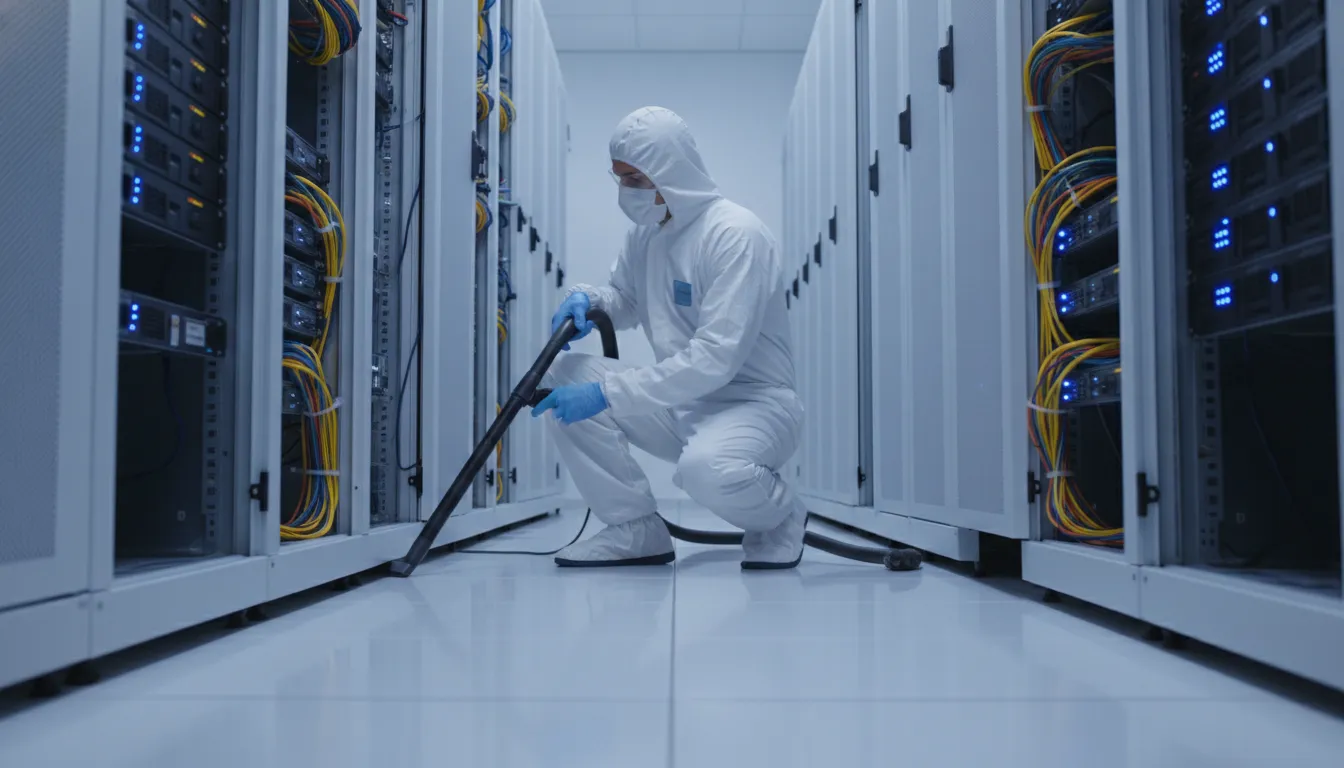
Daily checks should focus on preventing new contamination from entering critical space. Staff can inspect entry mats, unpacking controls, visible debris, spills, and high-touch points outside equipment cabinets. Any issue near active racks should be logged and routed through approved site procedures.
- Daily: Check entry points, staging zones, traffic lanes, and visible debris; record spills or unusual dust.
- Weekly: Clean approved floor areas and accessible exterior surfaces with ESD-safe, HEPA-filtered equipment.
- Weekly: Inspect cleaning tools, supplies, gowning needs, and access rules before work starts.
HEPA filtration helps capture material during cleaning rather than moving it across the room. ESD-safe tools help limit static discharge risk around electronic assets. Use a server room cleaning procedures that matches the site’s access and change-control rules.
Monthly and quarterly controls
Monthly work moves beyond quick inspections. Review rack fronts and tops, cable pathways, door tracks, air intake areas, and approved perimeter surfaces. Pair the walkthrough with notes on recurring dust patterns, blocked access, or work that needs a planned window.
- Monthly: Inspect surfaces near airflow paths, cable routes, and monitoring equipment; note repeat contamination.
- Quarterly: Schedule a deeper controlled clean of white-space surfaces and approved raised-floor zones.
- Quarterly: Review scope with IT operations before tiles are lifted or sensitive areas are accessed.
Contamination control is tied to airflow, not just surface appearance. The NIST CONTAM documentation describes analysis of airflows and contaminant concentrations in buildings. That principle matters in a data center because disturbed debris can follow air paths toward sensitive equipment.
Annual review and cleaning records
Annual planning should check the cleaning program, not simply add one large service visit. Review zones, approved methods, ESD and HEPA equipment requirements, safety briefings, access lists, and escalation contacts. Use observations from prior visits to adjust the next schedule and scope.
- Annual: Review the risk-based schedule, service boundaries, equipment list, and training records.
- Each visit: Record date, technician, area cleaned, tools used, findings, exceptions, and signoff.
- After an event: Add inspections after construction work, packaging debris, alarms, or unusual contamination.
Records give facilities and IT leaders the same view of completed work and open risks. They also keep cleaning aligned with uptime needs, since planned access and exceptions are visible before the next visit. A documented checklist turns contamination control into a repeatable operations process.
Why regular data center cleaning protects uptime
Contamination is an operating risk
Uptime depends on stable conditions around racks, cables, and air paths. Regular cleaning is not a cosmetic line item. It removes avoidable risks before they spread through a live room. A data center cleaning checklist should connect each task to cooling flow, safe operations, and service continuity.
Contaminants do not stay in one place. NIST notes that airflow, filtration, surface deposition, and chemical reactions affect contaminant behavior in buildings. Dust may settle near intakes or on surfaces. Biological residue and airborne chemical vapors also need control. Air movement can carry them through equipment spaces.
Air paths and raised floors
Supply air must reach equipment through a clear path. In a raised-floor room, the subfloor plenum is part of air delivery. It is not an out-of-sight storage zone. Dust, cable scraps, packing fibers, and tracked-in debris below tiles can be disturbed by air or service work.
Cleaning must follow airflow, not only what staff see from the aisle. Work plans should cover floor surfaces, tile openings, subfloor areas, rack bases, and return-air paths. A clean visible floor does not show whether the air route below it is clear.
A checklist tied to uptime
Risk-based cleaning starts by finding sources and places where material can collect or move. Foreman Pro’s guide to identifying and removing data center contaminants explains materials that operators should watch for. That context helps teams set room scope, rather than treating every surface alike.
A practical plan links observations to action and records what was addressed. The checklist can prompt teams to:
- Look for settled dust at entry points, rack bases, grilles, and tile openings.
- Check raised-floor spaces for loose debris before it reaches an air path.
- Note residue, odor, or visible signs of biological or chemical contamination.
- Use methods suited to sensitive spaces and record cleaned zones for review.
These steps support uptime by reducing unmanaged risks in the operating space. They also make cooling issues easier to assess. Debris and contamination are less likely to hide airflow concerns. Cleaning becomes preventive control: planned, tracked, and tied to conditions that keep IT equipment running.
Daily, weekly, monthly, and quarterly cleaning tasks
A data center cleaning checklist should assign work by risk, not convenience. Access routes, touch points, and tracked-in soil need frequent attention. Work near active equipment, airflow paths, or floor plenums needs planned controls and clear records. A risk-based cleaning frequency approach considers contamination risk and the surface or space being cleaned.
Daily control points
Start each shift with an entry and access-area check. Inspect vestibules, loading paths, security desks, staging spots, tack mats, and room thresholds for loose soil or packaging debris. Clean handles, badge readers, push plates, switches, and shared carts with approved methods. Log spills, visible dust, and work orders that may add particles.
- Remove debris from access paths before it reaches technical space.
- Check raised-floor walking lanes for soil, loose items, or damaged tiles.
- Keep supplies, wipes, and vacuum tools outside airflow obstructions.
- Record unusual dust, moisture, or contractor traffic for follow-up.
Daily work is visual and controlled. It is not a license to disturb racks, lift tiles, or move live cables. Staff who need a safe operating baseline can use this critical environment cleaning support when writing room-specific procedures.
Planned weekly and monthly work
Weekly work expands the field without opening hidden air spaces. Clean cabinet exteriors, rack doors, accessible cable pathway covers, and low-risk perimeter surfaces. Review CRAC-adjacent floor areas for dust patterns or obstructions. Never direct debris toward an intake or an active equipment face.
| Frequency | Primary scope | SOP record |
|---|---|---|
| Daily. | Access areas, touch points, walking lanes. | Exception log and traffic notes. |
| Weekly. | Cabinet exteriors, room edges, visible cable pathways. | Zone completion check. |
| Monthly. | Raised-floor surface plan, sensor inspection, CRAC-adjacent zones. | Tool, method, and issue record. |
| Quarterly. | Subfloor or plenum scope under approved controls. | Work permit and closeout review. |
Monthly tasks should include the broader raised-floor surface plan and visual sensor checks. Review room maps, restricted zones, work permits, and tool requirements before starting. Inspect accessible sensor guards or housings for buildup, but do not change settings. Escalate alarms, damaged cables, floor tile issues, or blocked airflow paths to operations staff.
Assign each zone to a technician and reviewer. Record the tool used, room condition, exceptions, and any area left untouched. This makes missed work easier to find before the next planned service visit.
Quarterly scope and documentation
Quarterly work is the planned checkpoint for spaces that need greater control. It may include approved subfloor or plenum cleaning, cable pathway review, and detailed work near CRAC units. Airflow can move contaminants between building zones, as described in the NIST CONTAM documentation. Hidden-space work should therefore follow change controls and site approval.
Before any tile is lifted, define zones, access limits, approved equipment, stop-work triggers, and the responsible reviewer. Coordinate with IT operations before work near cables, sensors, or cooling equipment. After cleaning, restore tiles and guards, remove tools, and check the work boundary for remaining debris.
- Document date, room, zone, technician, and approved procedure.
- Record floor tiles lifted, subfloor areas cleaned, and CRAC-adjacent work.
- Note visible residue, blocked paths, sensor concerns, and corrective actions.
- Attach exceptions and approvals to the facility maintenance record.
This schedule is a starting SOP framework. Increase review or cleaning when construction, cabling changes, filter events, leaks, or heavy traffic create added risk. Keep each entry specific enough for the next shift to verify what was done and what still needs action.
What tools and supplies are safe for server rooms?
Equipment that controls dust
A data center cleaning checklist should name the tools allowed in the room before work starts. Use a HEPA-filtered vacuum made for critical spaces, with ESD-safe hoses, attachments, and grounding features. Use clean microfiber cloths for reachable surfaces that are outside active equipment. This approach collects debris instead of pushing it through airflow paths.
Airflow, filtration, and surface deposits can affect how contaminants move inside a building. NIST guidance on contaminant transport explains these factors. For a server room, control is the goal. Lift loose soil with approved equipment, keep fibers contained, and avoid stirring dust near intake vents.
- Use a HEPA-filtered, ESD-safe vacuum with labeled attachments.
- Use ESD-safe hand tools and non-shedding microfiber cloths.
- Place tacky mats at approved entry points to reduce tracked-in soil.
- Follow the site’s PPE plan, including gloves or shoe covers when required.
Supplies that limit residue
Cleaning fluids require the same control as tools. Use only products approved by the facility owner for the surface and room. Choose low-residue wipes or solutions when wet cleaning is allowed. Apply product to the cloth outside the equipment zone, not onto racks, cables, vents, or floor openings.
A supply cart should carry waste bags, fresh cloths, and signs for controlled work areas. Place used wipes and soiled supplies in closed bags before leaving the room. For room-specific planning, Foreman Pro’s raised floor cleaning services gives managers a clear starting point for approved tasks and controls.
Items to exclude and records to keep
Do not bring a household vacuum, feather duster, aerosol spray, or unapproved liquid into a server room. These items can release dust, leave residue, or create risk near sensitive systems. Cleaning staff should never unplug, move, open, or wipe active IT equipment. Do that work only when the written scope allows it and IT staff direct it.
Keep a simple job packet with the approved scope, product list, safety data sheets, access record, and completed work log. Record the rooms cleaned, tools used, areas avoided, and any visible issue needing IT review. Clear records help the facility team confirm that cleaning stayed within its change and safety controls.
How should teams clean raised floors and subfloor plenums?
A raised floor is not just a walking surface. The space below it may carry supply air toward racks and return paths near CRAC units. Dust left below floor tiles can enter this air path when conditions shift. A data center cleaning checklist should treat the plenum as a controlled work zone.
This task needs more care than routine floor cleaning. A crew works close to cables, tile supports, airflow routes, and live operations. The goal is controlled removal, with no rushed tile moves or unplanned contact near IT assets.
Airflow and work planning
Teams should plan plenum cleaning with IT operations before they lift a tile. Floor openings, active cables, airflow paths, and equipment zones need a shared review. NIST notes that airflow, filtration, and surface deposits affect contaminant behavior in buildings. That link makes airflow part of the cleaning plan, not an afterthought.
A walk-through can flag tiles near CRAC units, heavy cable runs, loose debris, and access limits. It also sets safe boundaries for carts, cords, and HEPA equipment. For a wider room-level plan, use Foreman Pro’s data center contaminant risks alongside the floor plan.
Before work starts, decide who can approve a pause or changed route. If a lifted tile reveals an unknown condition, the crew should stop and ask. That keeps a cleaning task from becoming an IT access issue.
Controlled plenum cleaning steps
The sequence below keeps activity steady and limits disturbance around live IT equipment. Teams can adapt the size of each work zone to room layout, airflow needs, and access approvals.
- Confirm the work plan. Coordinate the schedule with IT, record approved zones, and note CRAC units, racks, sensors, cables, and floor tile routes.
- Isolate a small zone. Mark the work area and stage approved ESD-safe supplies. Lift only the tiles needed, then protect each removed tile.
- Remove loose particles. Use HEPA-filtered vacuum equipment suited to critical spaces. Work along the subfloor, tile supports, and reachable cable paths without shifting cables.
- Inspect before closure. Check for dust, damaged tiles, blocked airflow routes, abandoned material, or moisture signs. Report anything outside the approved cleaning scope.
- Restore and document. Replace each tile, clear tools, and log the zone, method, observations, and any follow-up request.
Inspection records and handoff
A clean plenum is only part of the result. The handoff should show where work took place and what the crew found. Record tile locations opened, debris conditions, equipment used, issues seen, and areas deferred because access was not approved.
Photographs, when site rules permit them, can support the written record. A simple before-and-after note also helps the next visit begin in the right zone. Keep records tied to approved work areas, not general assumptions about the room.
When debris patterns return near an air path, the record gives facilities and IT a useful lead. It can guide later inspection of airflow, filtration, or nearby activity. Foreman Pro’s professional data center cleaning services page covers support for critical spaces.
What data center cleaning checklist standards apply?
A standard as a reference point
Data centers do not all operate under one cleaning certification. Some teams use ISO 14644-1 as a cleanroom reference when setting particle control goals and inspection methods. In an SOP, state whether it is a reference, a contract requirement, or part of a verified program. Do not label a site certified unless that status has been confirmed.
A practical data center cleaning checklist should begin with local risk, not a copied standard. Airflow, filters, surface deposits, and source materials can affect airborne contaminants, according to NIST guidance on contaminant transport. Map sensitive rooms, raised floor areas, intake paths, staging zones, and doors before setting the scope.
Controls for work near equipment
Cleaning procedures should define ESD-safe tools, approved HEPA-filtered equipment, and methods for work near racks and cables. They should also list products that are allowed in each zone. A supervisor can review tools and supplies before the crew enters the white space.
Access control belongs in the cleaning SOP. Record who may enter, who escorts vendors, and which rooms or cabinets are out of scope. Plan cleaning during approved change windows when work could affect airflow, floor tiles, alarms, or power paths. Coordinate with IT operations before moving tiles or working near active gear.
- Confirm access approval, escorts, badges, and restricted zones.
- List ESD-safe equipment, cleaning agents, and tool checks.
- Define stop-work rules for alarms, exposed cables, spills, or loose debris.
- Schedule raised-floor or overhead work in a reviewed change window.
Risk review and cleaning records
Set cleaning frequency by zone and risk. For example, loading paths and high-touch access points may need more attention than controlled equipment rooms. The CDC risk-assessment approach to cleaning frequency shows how surface contact and contamination risk can guide schedules. Facility managers can adapt that logic without claiming a health care standard applies to a data center.
Each completed visit should leave a record that an IT or facility manager can review. Keep the date, zone, technician, approved method, equipment used, exceptions, observed debris, and signoff. If a tile was lifted or access changed, link the log to the approved change ticket and note final restoration.
This paper trail turns the checklist into an operating control. It also helps teams spot repeated issues at an intake, door, or plenum area. For procedures on safe work in technical spaces, use this professional data center cleaning planning as a companion reference.
When should you bring in a professional data center cleaning team?
A data center cleaning checklist is useful for routine checks, but some conditions call for a trained critical environment crew. Bring in professional help when the work may affect equipment, airflow paths, floor spaces, or operating records. That choice keeps cleaning planned, documented, and aligned with site controls.
Planned cleaning and warning signs
A planned quarterly cleaning is a clear time to use a professional team if that is your facility’s schedule. It provides a set point for removing tracked-in soil and checking spaces that routine housekeeping may not cover. Professional support also makes sense before an audit, when managers need a clean site and consistent work records.
Visible dust on tiles, rack exteriors, cable pathways, or supply areas is another trigger. Do not wait for debris to spread through busy work zones. If dust returns soon after routine cleaning, record where it appears and review the source with a specialist.
Add professional help to the plan when your checklist identifies any of these conditions:
- A scheduled quarterly service visit for controlled cleaning tasks.
- Dust, fibers, residue, or other debris appear in technical spaces.
- Construction, cable installation, tile lifting, or nearby ceiling work occurred.
- Cooling or airflow concerns may involve floor pathways.
- Audit preparation calls for clean areas and work records.
- A spill, dust release, or unexpected contamination event occurred.
- Raised-floor or subfloor access goes beyond routine surface care.
Work that reaches airflow paths
Construction and cable projects change the risk profile, even when the main room stays in service. Packaging, drilling, ceiling work, and tile lifts can introduce debris near sensitive areas. After such activity, a professional crew can clean controlled surfaces without turning a basic cleanup into an operating risk.
Airflow or cooling concerns are also a reason to pause and assess conditions. NIST notes that airflow, filtration, and surface deposition influence how airborne contaminants behave within buildings. Raised-floor and subfloor work should be coordinated with IT and facilities staff, not treated as an improvised vacuuming task.
Incidents and controlled response
A spill, unexpected residue, heavy dust release, or other contamination incident calls for a defined scope before cleaning starts. Record the affected area, limit needless movement, and decide who can work near active equipment. When the plenum or raised floor is involved, use a team prepared for critical spaces.
Foreman Pro brings the view of IT professionals who mastered cleaning, not cleaners who learned data centers. Its professional data center cleaning services support controlled work for facilities in Maryland, Virginia, and Washington D.C. Bring in that level of care when conditions move beyond routine checks and into operating risk or documented facility care.
Frequently Asked Questions
How often should a data center be professionally cleaned?
A data center cleaning schedule should reflect traffic, construction activity, air quality, and equipment risk. Foreman Pro Cleaning recommends quarterly service for data center environments, with added visits after construction or visible contamination. A risk-based schedule is practical because cleaning frequency should change with contamination hazards and operational conditions, consistent with the CDC risk-assessment approach to environmental cleaning.
What are the daily cleaning tasks for a data center?
Daily tasks should focus on preventing debris from reaching critical equipment. Inspect entrances, staging areas, and high-traffic paths; remove visible debris with approved methods; check sticky mats if used; and record spills or unusual dust. Do not disturb racks, cabling, power equipment, or raised-floor tiles without authorization. Equipment-area cleaning should follow site procedures and use ESD-safe, HEPA-filtered tools.
Why is regular data center cleaning necessary?
Regular cleaning limits dust and debris that can settle near air intakes, racks, cabling, and underfloor spaces. Cleanliness supports managed airflow and reduces avoidable contamination around sensitive IT equipment. The National Institute of Standards and Technology notes that airflow, filtration, and surface deposition influence contaminant behavior within buildings, making contamination control part of environmental operations.
What cleaning standards apply to data centers?
Data centers should use written procedures suited to their risk profile, equipment, flooring system, and airflow design. At minimum, procedures should identify approved ESD-safe methods, HEPA-filtered equipment, access controls, underfloor work rules, and documentation requirements. Some facilities also define particle-control targets or contract requirements. Confirm the applicable standard with facility governance, customer requirements, and equipment manufacturer guidance before scheduling work.
Ready to schedule critical environment cleaning?
Dust and debris left unaddressed can complicate routine operations and make each maintenance window harder to manage. Waiting also leaves your team reacting to visible problems instead of working from a planned cleaning schedule. Starting now gives facility and IT leaders time to coordinate access, document priorities, and plan cleaning around operational needs.
Ready to set a clear cleaning plan before the next service window? Call 888-360-1608 to request a critical environment cleaning consultation and discuss your data center cleaning priorities. A planned conversation today can help your team prepare the scope, timing, and coordination steps before preventable buildup adds more work.
