
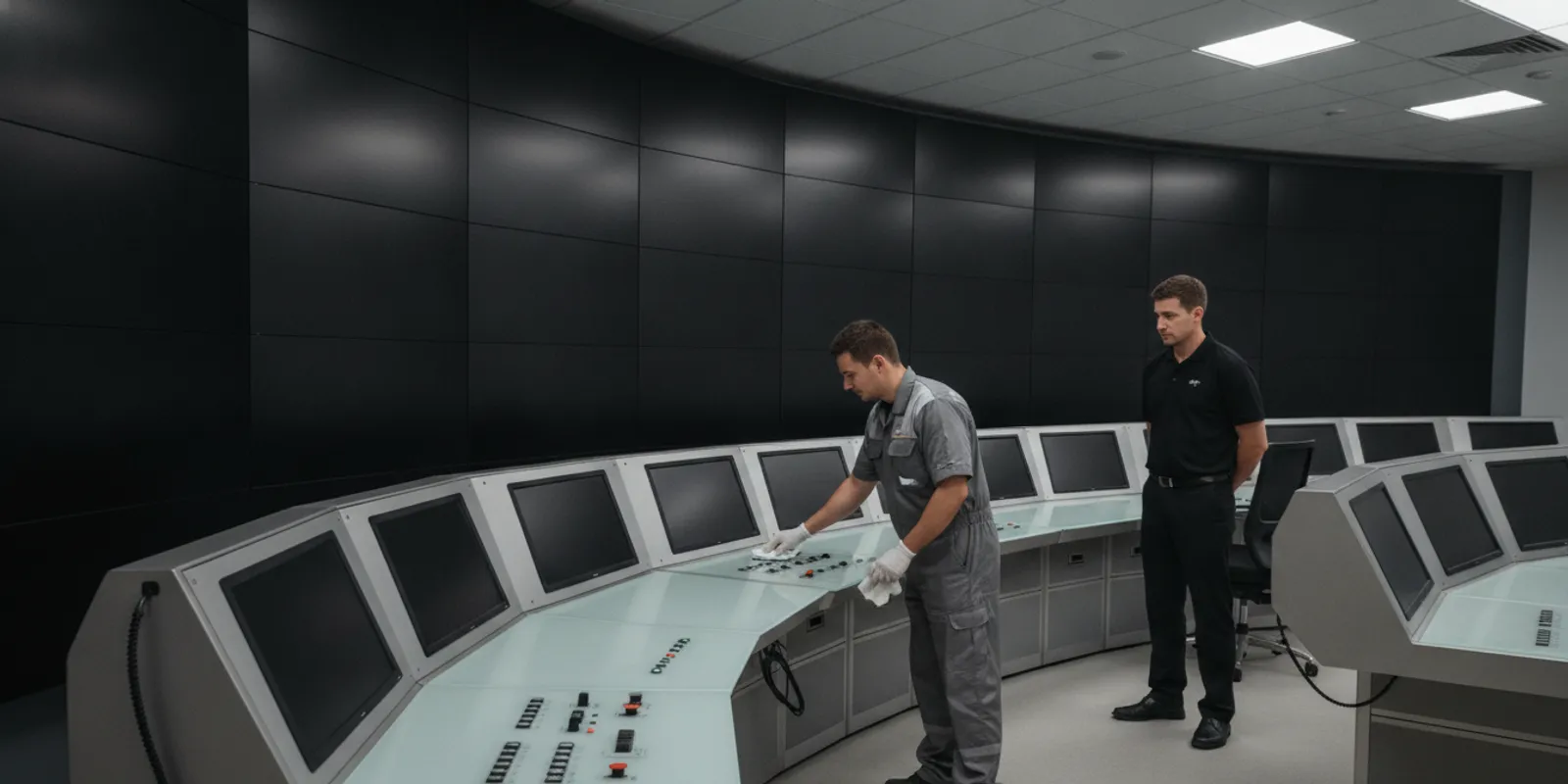
Control room cleaning is a planned facilities activity, not a routine wipe-down. Operators depend on consoles, displays, communications equipment, and clear sightlines to maintain service. A useful program controls particulate, protects sensitive surfaces, coordinates access, and records exactly what was done without interrupting work. The right scope starts with the room’s equipment, operating schedule, and site procedures.
Discuss a control room cleaning plan
What makes control room cleaning different?
A control room is an occupied decision and monitoring space. It may include operator workstations, video walls, communications devices, alarm panels, touchscreens, shared input devices, raised or specialty flooring, and HVAC returns. Some rooms support continuous operations; others have defined low-activity periods. The room’s purpose and equipment determine the appropriate methods.
That is different from cleaning a data center. A data center’s priorities often include server cabinets, raised-floor plenums, cooling equipment, and infrastructure access. Control-room work is more likely to involve operator consoles and interfaces that must remain available, readable, correctly configured, and free of residue. Some facilities combine these environments, but the work plan should still separate room-specific zones and permissions.
It is also distinct from a command-center service page or a generic office routine. The buyer needs a controlled work procedure that identifies who can authorize access, which surfaces may be touched, when work may occur, and what requires an immediate stop. Foreman Pro Cleaning provides commercial and critical-environment cleaning across Maryland, Washington, D.C., and Virginia, with operating experience informed by leadership expertise in IT operations and facilities management. Learn about its critical environment cleaning services.
How should a control room cleaning plan control particulates?
Start by mapping the room rather than applying one method everywhere. Mark work zones such as operator consoles, display walls, shared controls, floors, doors, and any equipment or openings that are off limits. Identify airflow paths and sensitive equipment with the facility representative. The plan should specify the approved tools, materials, sequence, and disposal method for each zone.
Use the facility’s contamination-control requirements as the governing document. A control room is not automatically a classified cleanroom, and a cleaner should not assign it an ISO class without the facility’s validated basis. If the site has a particulate threshold, monitoring protocol, or room classification, the manager should provide the applicable procedure and define how cleaning activities interact with it. For rooms with no formal classification, document practical controls instead of implying a certification.
- Use captured removal: Where appropriate and approved, use HEPA-filtered vacuum equipment and controlled, low-lint wiping methods to collect particulate rather than redistribute it.
- Work from higher surfaces toward lower surfaces: Follow a consistent sequence set by the facility, while avoiding overhead work above uncovered equipment or active operator stations.
- Keep materials controlled: Bring only the approved quantity of wipes and cleaning solution into the room. Keep containers closed, labeled, and away from electronics and ventilation openings.
- Protect openings: Do not direct airflow, wipe residue, or loose material toward vents, equipment intakes, keyboard gaps, or exposed connectors.
- Maintain separation: Use dedicated or appropriately managed tools for the room and prevent materials used in other facility zones from becoming a source of transfer.
These are planning controls, not a substitute for the site’s engineering or contamination-control requirements. If the room connects to a laboratory, cleanroom, or data center, coordinate with the responsible technical owner before transferring methods between areas. Foreman Pro Cleaning describes HEPA-filtered equipment, low-lint materials, contamination-control entry procedures, and documented critical-environment processes among its capabilities; the specific scope should still be confirmed for the facility.
Which console and display surfaces need special handling?
Consoles combine surfaces with different cleaning tolerances. A desk edge, touchscreen, optical filter, keyboard, trackball, headset, and emergency control may appear adjacent but require different handling. The equipment manufacturer’s instructions and the site’s approved materials list should take precedence over a general janitorial procedure.
Before work begins, define whether the cleaning team may touch each item, which approved method applies, and who can authorize removal or movement. Unless explicitly authorized, do not unplug, reposition, open, or disconnect equipment; press controls; change settings; or apply liquid directly to a surface. Apply approved solution to the wipe as specified by the procedure, not onto a display, seam, port, or control. Never assume that a familiar screen coating or input device tolerates a particular chemical.
| Room element | Cleaning approach to define | Boundary and verification |
|---|---|---|
| Touchscreens and displays | Use only the manufacturer- or site-approved wipe and method; avoid excess moisture. | Do not change settings or clean an active display without operator authorization; check for residue, streaks, and normal visibility. |
| Keyboards, trackballs, and shared controls | Confirm whether the device is in service and which approved method reaches accessible surfaces without forcing material into gaps. | Do not press operational controls or disconnect devices; report damage, unusual resistance, or visible residue. |
| Console exterior and work surface | Use the approved sequence and material for the surface finish, keeping liquids away from seams and openings. | Do not move documents, switches, or operator-owned items; return only items the site directs the team to move. |
| Floors and access routes | Use a low-disruption method suited to the flooring and any static-control requirement. | Keep egress and operator access clear; confirm the surface is safe for reopening under the facility procedure. |
| Vents, racks, and restricted equipment | Clean only if included in the authorized scope and directed by the technical owner. | Stop at covers, barriers, or restricted boundaries; escalate any need to open or service equipment. |
This table is a scope-planning aid, not a universal technical standard. Have the facility owner validate the materials and permissions against equipment documentation, warranties, electrical-safety rules, and site procedures. For related technical context, see Foreman Pro Cleaning’s guide to cleaning a server room safely and its overview of what defines a critical environment.
How should managers coordinate access and operator handoffs?
Access coordination should be agreed before a crew arrives. Assign a facility contact with authority to approve entry, identify the operator or shift lead who can release a zone, and establish the check-in and check-out process. If the facility uses badges, escorts, keys, visitor logs, or restricted-area rules, include those requirements in the work instructions.
Use a room map or zone list to separate authorized cleaning from prohibited activity. Mark console positions that remain in use, areas that require an escort, equipment that must not be touched, and spaces where photography or recording is prohibited. The team should not rely on assumptions about whether a workstation is unattended. Confirm with the designated contact before entering or beginning work near an active position.
- Pre-shift confirmation: Verify the approved time, rooms or zones, operator coverage, materials, access credentials, and any operational restrictions.
- Arrival and release: Check in with the authorized contact. Confirm that the specific area is available and that the work will not conflict with alarms, incidents, shift changes, or planned maintenance.
- Zone-by-zone work: Complete one released zone at a time. Keep tools and supplies within the approved area and maintain a clear route for operators.
- Return and sign-off: Inspect the zone with the designated representative when required. Record any exception before the team leaves.
Some control rooms are subject to security or confidentiality rules. Follow the customer’s policy for identity verification, escorting, device restrictions, and incident reporting. A cleaning contractor should not create its own exception to facility security controls. CISA’s operations center and control room guide provides considerations for operations centers and control rooms across critical infrastructure sectors. Use it as a planning reference alongside current facility policy, not as a replacement for site authorization or current requirements.
When should control room cleaning be scheduled?
Choose a time based on operating conditions, not simply on a standard evening-cleaning window. A continuously staffed control room may not have a truly empty period. In that case, the scope can be divided into small zones and coordinated with an operator so that work proceeds only where and when it is released. If cleaning requires touching an active console, interrupting a sightline, blocking an access route, or creating noise that affects communication, defer that portion until the responsible person approves a safe alternative.
A schedule should account for shift handoffs, peak operating periods, planned testing, maintenance windows, incident response, and facility-specific blackout periods. Build in time for check-in and inspection rather than scheduling only the hands-on cleaning minutes. Agree on a contingency contact and a stop-work signal before the first visit.
For reduced disruption, managers can prioritize accessible high-touch surfaces and floors while leaving restricted consoles untouched until an approved window. They can also rotate more intrusive work by zone so the whole room is not unavailable at once. Set the order and frequency based on occupancy, use, surface type, and the facility’s own risk assessment; avoid using a generic calendar as proof that every room has the same need.
Request a low-disruption cleaning discussion
What should the cleaning record document?
Documentation makes a recurring service reviewable. It should show what the team was authorized to do, where it worked, what was completed, and what prevented completion. The record should be detailed enough for the facility to trace an exception without recording sensitive operational information unnecessarily.
- Date, scheduled window, arrival and departure, and the authorized facility contact.
- Zones released and completed, plus any zones deferred or excluded.
- Approved methods and materials used, recorded at the level required by site procedures.
- Access, handoff, and inspection confirmations required by the facility.
- Exceptions such as unavailable areas, a damaged surface, unexpected residue, or a material concern, along with who was notified and when.
- Corrective action or follow-up owner, due time if assigned by the customer, and closure confirmation.
Do not include passwords, screen contents, alarm details, system diagrams, or sensitive event information in a routine cleaning log. Use the customer’s approved reporting channel and retention rules. Keep a record of approved procedure revisions so staff can distinguish current instructions from superseded versions. Foreman Pro Cleaning’s guide to choosing a data center cleaning company offers related questions for evaluating critical-environment providers, while data center cleaning services address a different infrastructure-focused scope.
Which issues should trigger a stop and escalation?
Cleaning staff should be trained to recognize a boundary, pause work, and notify the designated contact, not troubleshoot an operational system. Stop the affected task if a console is active when it was expected to be released; an alarm, incident, or emergency response begins; access authorization is unclear; an approved product or material is unavailable; or a surface, device, cable, or enclosure appears damaged.
Escalate immediately through the facility’s defined channel if there is an unexpected liquid or residue near equipment, a foreign object in a protected area, an electrical or trip hazard, a compromised access control, or a request to open, disconnect, reset, or service equipment. Do not attempt to resolve an unfamiliar condition by wiping more aggressively or improvising a chemical. Secure the immediate work area only as permitted, preserve access for operators, and follow the facility’s instructions.
Before service begins, write down the escalation contact and backup, the approved communication method, and the conditions that require stopping. The cleaning scope does not authorize response to alarms, repairs, configuration changes, or incident investigation. Those functions remain with the facility’s designated operational and technical personnel.
How can managers compare control room cleaning approaches?
Compare proposals by the controls they make explicit, not by a vague promise to keep a room spotless. Ask each provider to show how it will handle access approval, zone release, approved materials, equipment boundaries, scheduling changes, exception reporting, and staff orientation. Relevant experience with critical environments matters, but the site should verify training and procedures against its own requirements. Ask for evidence of applicable training or credentials, such as CET or CVI where relevant to the scope, without treating a credential alone as proof of authorization to touch equipment.
Foreman Pro Cleaning’s approach combines customized service planning with critical-environment procedures and leadership experience in IT operations and facilities management. Confirm the actual assigned scope, documentation, and staff orientation before work. The company background provides additional context, and its contact team can discuss a facility-specific plan.
Frequently asked questions about control room cleaning
Can a control room be cleaned while operators are working?
Sometimes, if the facility releases a specific zone and the operator approves the timing and boundaries. Keep routes and sightlines clear, avoid active controls, and pause if the operating situation changes. Some tasks should wait for an approved maintenance or low-activity window.
Can the same procedure be used in a control room and a data center?
Not without reviewing the room layout, equipment, contamination requirements, and permissions. A data center scope may include cabinets, cooling equipment, or underfloor areas, while a control room may center on operator interfaces and displays. A mixed facility should have separately defined zones and procedures.
Should cleaning staff wipe every console and display?
No. The site should identify which surfaces may be cleaned, which approved method applies, and whether an operator must release the station. Manufacturer instructions and facility rules govern the materials and technique. Do not touch controls or move equipment without explicit authorization.
Does every control room need an ISO cleanroom classification?
No. A facility should not assume a cleanroom classification applies. Follow any documented site classification or particulate requirement that actually governs the room. Where none exists, define sensible particulate controls without claiming a formal classification.
What should managers do if an unusual condition is found?
Stop the affected work and notify the designated facility contact using the approved escalation process. Do not troubleshoot, open, disconnect, or attempt to repair equipment. Record the exception in the customer-approved channel and resume only when authorized.
How can you plan the next step?
A dependable control room cleaning program starts with a walkthrough, an equipment and access boundary, approved methods, a low-disruption schedule, and a clear escalation path. Put those decisions into a written scope and review the first service with the facility contact. Talk with Foreman Pro Cleaning about a control room plan.
