
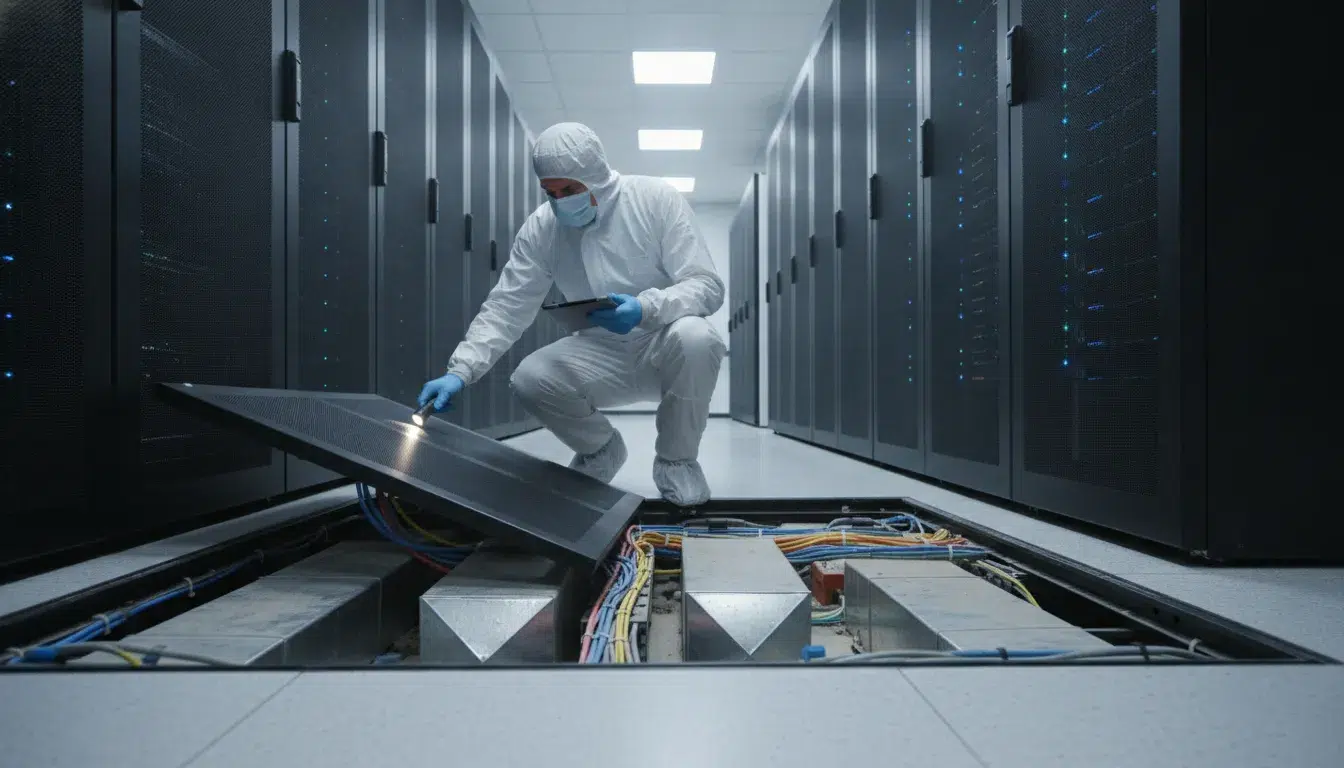
Debris trapped in a subfloor plenum can cause costly hardware failure without warning. This hidden layer of dust and grit acts as a constant threat to your server equipment. Stopping these risks starts with knowing what is happening beneath your feet.
Schedule a data center cleaning assessment with Foreman Pro Cleaning.
Data center subfloor contamination is dust, grit, metal fragments, and other debris beneath raised floor tiles. Plenum airflow can carry these particles into server intakes, restrict cooling, and increase electrical or mechanical failure risks. Safe response starts with documenting the source, controlling spread, and scheduling qualified raised-floor cleaning.
Facility managers often overlook the area under the tiles until a sensor triggers an alarm. Knowing the exact nature of these risks is the first step toward a safer site. We will start by answering the main question: What is data center subfloor contamination? The path begins with the basics.
What is data center subfloor contamination?
Data center subfloor contamination is the buildup of dust, dirt, and small bits in the space under a raised floor. This hidden zone is known as the subfloor plenum. Its main job is to push cold air into server racks to keep them at the right heat. When this space gets dirty, the air picks up the bits and carries them into your most fragile tools. This can lead to system crashes, slow speeds, and even fires.
Most managers focus on the server racks they can see. But the biggest risks often hide in the dark spots under the floor tiles. This contamination is more than a cleaning task; it is a risk to your business. If the air in your room is not clean, your uptime is at risk.
Common sources of subfloor debris
Contamination comes from many sources inside and outside the room. People who enter the data center are a major source. They bring in dirt, lint, and skin cells on their clothes and shoes. Even with sticky mats at the door, some bits will always make their way in. Over time, these small bits settle on the subfloor and wait to be picked up by the air.
Work on the site is another big cause. If someone cuts a floor tile or drills into a wall, they create a lot of dust. This dust can be made of concrete, metal, or gypsum. These heavy bits are very hard on IT gear. Even the cooling systems can add to the mess. Moving parts like belts and fans wear out. As they do, they shed tiny pieces into the air stream. To stop this, have a plan for raised access floor maintenance. This helps keep the subfloor clean after any work.
One of the trickiest risks is called a zinc whisker. These are tiny metal hairs that grow on older floor tiles that have a zinc coating. They are too small to see, but they can break off and float. Since they conduct power, they can land on a circuit board and cause a short. This can kill a server in a second.
The danger of the hidden air plenum
The subfloor plenum acts like a big wind tunnel. It moves a lot of air at high speeds to manage the heat from your racks. If there is dust on the subfloor, the wind will kick it up. This creates a loop where the air is never truly clean. This is bad for new hardware because modern parts are so small. Tiny parts are more prone to damage from even a small amount of dust.
As noted in the ASHRAE contamination guidelines, these bits cause three main types of failure. First, they can cause a harsh reaction on the boards. Second, they can block moving parts like disk drives. Third, they can cause power shorts. When dust sits on a hot part, it stops heat from leaving. This makes the server run hotter, which uses more power and leads to more failures.
Why a hidden problem needs a clear plan
Because the subfloor is hidden, it is easy to forget. A room may look clean on top but have deep piles of dust below. This dust can sit still for a long time. Then, if you add a new fan or change your airflow, it all moves at once. This sudden wave of dust can take down a whole row of servers.
To keep your room safe, you must check the subfloor often. You should look for signs of concrete dust, loose bits of tape, or metal shavings. A clean plenum means your cooling system works better. It lowers your power bill and keeps your hardware running for more years. By checking the subfloor twice a year, you find these risks before they turn into a crisis.
Warning signs beneath a raised floor
Keeping a data center clean starts with looking where most people do not. The space under your floor tiles often hides the first signs of trouble. If you find data center subfloor contamination early, you can stop big repairs later. Managers must stay alert for small changes in the room. These signs often show that the subfloor needs a deep clean. Ignoring these signs can lead to gear failure and lost data.
You should check the subfloor regularly. A quick look can save you from a major crash. Many issues start small and grow over time. By the time you see a problem on your server rack, the subfloor may be full of debris. Learning what to look for is the first step in protecting your site.
Visible dust and metal fragments
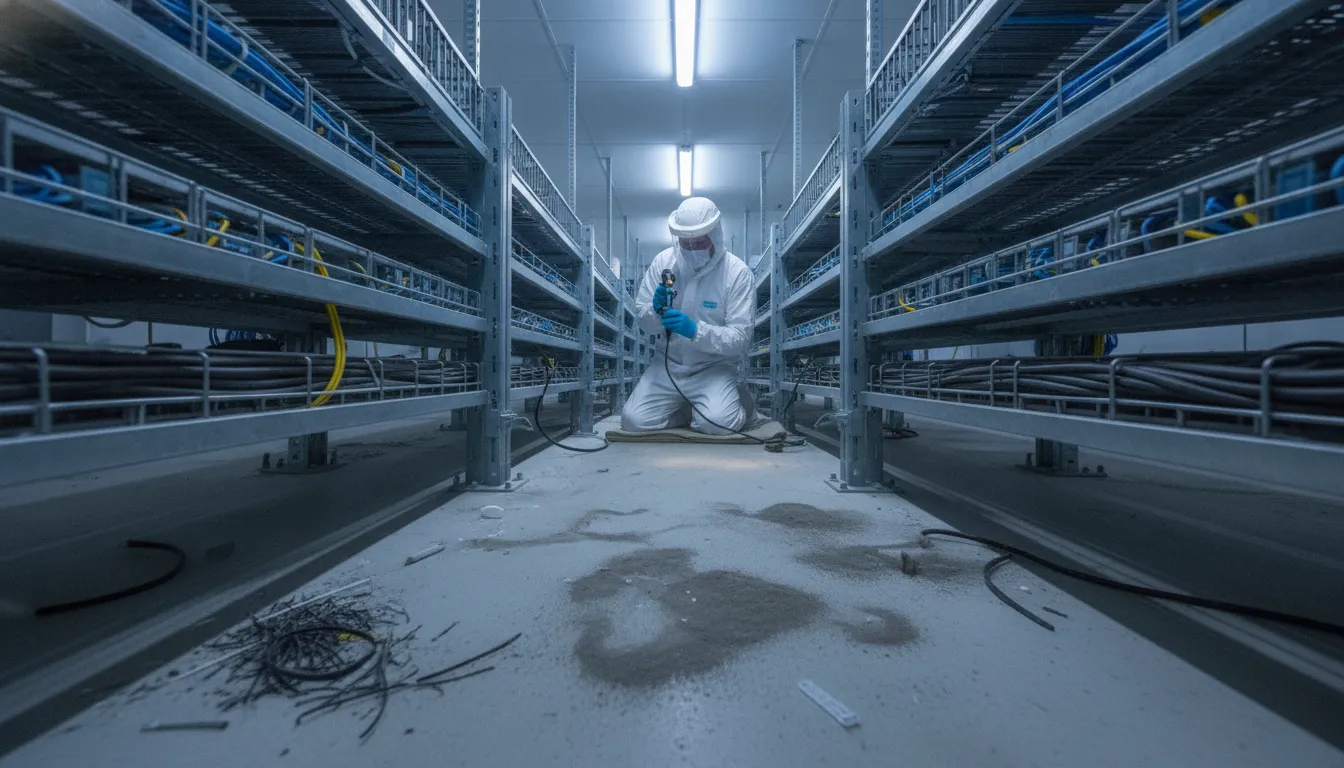
One clear sign of a problem is fine dust on the subfloor plenum. You might also see fibers or small metal bits. These items can come from unsealed concrete or old building work. Small metal bits are very risky for your gear. They can cause electrical and mechanical failures in IT equipment. As chips and boards get smaller, they become more prone to damage from tiny particles.
You may also find “zinc whiskers” on the bottom of floor tiles. These are tiny metal hairs that can break off and float in the air. If they get into a server, they can cause a short circuit. Look for a dull grey fuzz or thin threads on metal surfaces. If you see this, you need expert help right away. Regular raised access floor maintenance can catch these threats early. It keeps the air clean and your gear safe.
Check for rocking or loose tiles as well. If a tile is not stable, it can let more dust fall into the plenum. This “pumping” action moves dirt every time someone walks by. Over time, even a small gap can let in a large amount of grit. This grit can then be pulled into your cooling fans.
Airflow blocks and temperature spikes
Watch for hot spots or odd air flows in your server room. If dust builds up in the subfloor, it can block cold air. This makes your cooling system work harder and use more power. You might notice that some racks stay hotter than others. This often happens because debris has piled up near the vents. This buildup can redirect air away from the tools that need it most.
You should also sniff for strange odors or look for moisture. Damp spots can lead to mold or rust. A musty smell often means there is standing water or high humidity below the floor. Moisture can ruin concrete and cause more dust to form. It also makes metal parts rust faster. Keeping the subfloor dry is just as vital as keeping it clean.
Use a bright light to peer through floor grates. If you see piles of lint or “dust bunnies,” the air flow is likely weak. These piles act like filters, catching even more dirt and blocking the breeze. This creates a cycle where the room gets hotter and dirtier each day. Finding these blocks early helps keep your energy costs low.
Filter loading and post-construction debris
Building work often leaves behind a lot of mess. Even after a room looks clean, the subfloor might have drywall dust or wood bits. You may see your air filters get dirty much faster than usual. This “loading” means the air is carrying too many particles. If you have to change filters every month instead of every quarter, you have a problem. This is a sure sign of data center subfloor contamination.
Following a data center post-construction cleaning plan is the best way to clear these risks. It ensures that no grit is left to blow into your new gear. Construction dust is often very fine and can travel far. It can settle deep inside servers where a normal cloth cannot reach it. This dust is also often abrasive and can wear down fans and other moving parts.
Look for debris near wall penetrations too. When cables are pulled through walls, they often leave behind bits of foam or rock wool. These bits can tumble under the floor and break into smaller pieces. Over time, they turn into the very dust that clogs your racks. Keeping an eye on these entry points helps you spot a mess before it spreads throughout the plenum.
How contamination can affect operations
Keeping a data center clean is about more than just looks. It is about keeping your servers running without a break. When dirt builds up, it causes many problems that can hurt your business. These risks range from hot equipment to short circuits that can shut down your whole room. Most managers know that downtime is very costly. Stopping it starts with a clean space.
Blocked airflow and cooling loss
Most data centers use the space under the floor to move cold air. This space is called the subfloor plenum. Over time, data center subfloor contamination can build up in this area. Large amounts of dust and debris can block the air from reaching your racks. This forces your cooling fans to work harder and use more power. This is a big waste of your energy budget.
When air cannot flow well, hot spots can form inside your server racks. These hot spots can lead to system errors or even fire hazards. High heat is a common cause of data loss and sudden shut downs. Regular raised access floor maintenance helps keep these paths clear. Without it, you might face cooling failures that are hard to find and fix.
Hardware damage and short circuits
Small particles can do big damage to modern IT gear. As parts get smaller, they are easier to hurt. Tiny bits of dirt can land on circuit boards and cause three main types of problems. These are chemical, mechanical, and electrical effects. Based on ASHRAE guidelines, even gas like sulfur can cause hardware to fail.
Mechanical issues happen when dust clogs moving parts like fans or disk drives. This can cause parts to grind and break. Electrical issues are even more scary. Conductive dust, like metal bits from old pipes or rust, can bridge gaps on a circuit board. This causes a short circuit that can fry a server in seconds. This kind of damage is often total and leads to high repair costs.
Hardware is now more prone to attack by dirt because of miniaturization. As features on a board shrink, even a tiny speck can bridge two parts. This makes data center subfloor contamination a constant threat to your uptime. Keeping these areas clean is not just a chore. It is a key part of your risk care plan.
Safety and access issues
Dirty floors are not just bad for servers; they are bad for people too. Dust on the floor can make it slippery for your team. This increases the risk of falls and injuries during daily work. Also, piles of trash or old boxes in the subfloor can hide leaks or loose wires. If you cannot see these problems, you cannot fix them before they get worse.
Debris in the subfloor can also be a fire risk. A small spark from a wire could start a fire if there is fuel like paper or lint nearby. Keeping the space clean gives your team a clear view for quick checks. This helps you find and stop small issues early. A clean space is a safe space for both your gear and your staff. It ensures that your team can move around without worry.
| Contamination Type | Main Work Risk | Business Effect |
|---|---|---|
| Zinc Whiskers | Electrical short circuits | Fast hardware failure |
| Concrete Dust | Airflow blockage and overheating | Higher energy costs |
| Metal Slivers | Conductive bridging on boards | Long-term data loss |
| Static Build-up | Static discharge (ESD) | Random system reboots |
| Fine Dust | Fan motor failure | Reduced equipment life |
Request professional raised-floor cleaning before disturbed debris spreads through the plenum.
What should you do after finding contamination?
Finding dust or debris in your data center subfloor can feel stressful. This space serves as a plenum to move cold air to your IT gear. If it is dirty, your server fans will pull those particles into the hardware. You must act fast but stay calm to protect your uptime and gear.
Assess the risk level
First, look at the type and amount of debris. Fine white dust often comes from unsealed concrete. Metal slivers or “zinc whiskers” can cause short circuits in your power systems. If you see big piles of dust near floor tiles, your cooling fans are likely moving that waste into the rack. This can lead to hot spots and hardware failure. You should also check for any damp areas or signs of leaks near the floor base. Moisture mixed with dust can create a conductive sludge that damages electrical parts.
You need to know how far the dust has spread across the room. Check many spots under the tiles, not just one. Use a bright light to see small particles that might hide in dark corners. If the dust covers more than ten percent of the floor, you have a big risk. High dust levels can cause chemical, mechanical, and electrical failures in IT equipment according to ASHRAE standards. This risk grows as circuit board parts get smaller and more sensitive.
Stop the spread
Once you find a problem, do not use a standard broom or shop vac. These tools often kick dust back into the air through their exhaust. This makes the problem much worse for your server fans. You must also limit access to the area. Walking over dirty tiles can shake dust loose and push it into the air stream. If you must open tiles, do it slowly and keep the time short. Each open tile changes the air pressure and can move more dust into the cold aisle.
Check your data center maintenance cleaning logs to see when the space was last checked. If work has been done recently, check if the crew used the right tools. You should also look at your HVAC filters. If they are dark or clogged, they are not doing their job. Replacing them now can help slow the build-up of new dust while you plan the full clean.
- Document the issue: Take photos of the dust under the floor tiles and note the location. This helps you track the source and shows the risk to your team.
- Notify operations: Tell your IT and facility teams about the findings. They need to watch for high heat or fan errors in the server racks.
- Stop new work: Pause any construction or cable pulls in the dirty area. Moving wires can stir up data center subfloor contamination and cause it to circulate.
- Check airflow: Ensure all floor tiles are set right. Missing or loose tiles change air pressure and can pull dust from the subfloor into the air.
- Set up monitoring: Use particle counters to track air quality. High counts mean you need to start a deep clean right away to prevent hardware loss.
- Call the pros: Reach out to a team that knows raised access floor maintenance. They will have HEPA vacuums that trap 99.97% of small particles.
Plan for remediation
Do not wait until a server fails to fix the problem. Experts suggest you clean subfloors at least once per year to lower your risks. If you find a lot of dust, you might need to clean four times per year to keep your room safe. A good plan will use a three-tier method. This includes daily surface care, weekly checks, and a full deep clean every few months. This keeps the plenum clear and the air flowing well.
Working with a specialized team is the best way to handle data center subfloor contamination. They have the training to work around live gear without causing a crash. They use non-conductive tools and know how to move through the room without shaking the floor. This protects your uptime while they remove the risk. You can learn more about these steps in our post-construction cleaning guide.
When to schedule professional raised-floor cleaning
Upkeep times and risks
Most experts suggest a clear plan for your data room floors. You should aim for raised floor cleaning at least four times each year. This keeps the tiles in good shape and stops dirt from building up. For the area under the floor, you should clean it at least once a year. This space is the subfloor plenum. Dust here can hide and cause big issues for your server gear. Data center subfloor contamination is a big risk that needs firm checks.
New hardware is small and can break fast. Small dust bits can cause shorts or make things too hot. ASHRAE guidelines show that air dirt leads to three types of failure. These are chemical, mechanical, and electrical. As parts get smaller, they face more risk from thin dust films. Keeping a clean room helps your tools last longer and work well. It also keeps your data safe from sudden stops.
You should also check the air quality. It is best to count air dust once a year. This usually happens at the same time as the subfloor cleanup. If the count is high, you may need to clean more often. A clean space means your fans do not have to work as hard. This saves power and keeps your cooling costs low.
Expert tools and work zones
Cleaning a data room is not like cleaning a home. You must use tools made for fragile spaces. This includes vacuums with HEPA filters. These tools trap tiny dust bits and do not let them back into the air. If you use a normal vacuum, you might just move the dust around. This can make the air quality worse for your hardware.
We split the room into work zones to stay on track. This helps us clean each part of the floor without missing spots. We look at cable runs and floor supports with care. It is vital to clean around these parts without moving them. Moving cables can cause a crash or unplug a server. We use a data center maintenance cleaning plan to guide our steps. This keeps your uptime high while we work.
- Use HEPA-filtered tools to catch most dust.
- Clean in small zones to ensure no spot is missed.
- Check the bottom of floor tiles for zinc whiskers.
- Wipe down cable trays and support struts.
Airflow is the main job of your subfloor. When dust builds up, it blocks the path of cool air. This can make some server racks too hot while others stay cold. We remove the tiles and clean the concrete slab below. This clears the path for air to move freely. A clear plenum is key for a cool and stable data room.
Planning for off-peak service
Timing is a big part of the job. You should plan your floor care during times with low data use. This is often at night or on weekends. We work with your team to find the best window. This helps avoid any clash with other tasks or high traffic. We also work with your IT staff. They can watch the systems while we are on the floor. This team effort ensures a smooth and safe clean.
Before we start, we do a risk check. We look for loose cables or fragile gear. We also plan the best way to move around the room. It is vital to have a clear path for our tools. We want to be in and out as fast as possible. But we never rush our high grade of work. Each step is done with care to meet ISO standards. This ensures your room is as clean as a lab.
After the job, we check our work with you. We look at the tiles to make sure they are level and safe. We also check the air to see if the dust levels are down. A final walk through helps us catch any small details. You will get a report that shows what we did and what we found. This help you track your data room health over time.
How to prevent contamination from returning
Once your space is clean, you must keep it that way. Dust and debris in the subfloor can lead to mechanical and electrical failures in IT gear. A solid plan helps you spot risks before they cause downtime. You need a mix of regular checks, entry rules, and strict work habits.
Set a regular cleaning schedule
Staying consistent is key to a healthy data center. Most experts suggest raised access floor maintenance four times per year. This regular plan stops small dust piles from growing. Your subfloor plenum needs a deep clean at least once per year to remove heavy buildup.
Checking air quality is also a vital part of your plan. You should monitor particle counts at least once per year during your deep clean. This data shows if your plan is working. If you see high counts, you may need to clean more often to protect your servers.
Control entry and work habits
Most dirt comes from the outside or from work done inside. Use sticky mats at every door to catch dust from shoes. Make sure all staff use them every time they enter. Proper data center maintenance cleaning keeps the space safe during and after work.
When workers do tasks in the room, they must clean up right away. No cardboard, wood, or food should ever stay in the white space. Use HEPA-filtered vacuums to pick up any debris from tools or materials. This stops bits from getting into the subfloor or the air intake of your racks.
Track trends and check results
Keep a clear record of all cleaning and test results. Tracking these trends helps you find weak spots. For example, if one row always has more dust, you can find the source and fix it. This smart move saves time and money on repairs.
Always check the work after any vendor finishes a job. Look under tiles to ensure no trash was left behind. A quick look after work stops many problems. This discipline ensures data center subfloor contamination stays low and your gear stays online.
Contact Foreman Pro Cleaning to build a controlled subfloor cleaning plan for your facility.
Frequently Asked Questions
How does subfloor contamination affect data center equipment?
According to ASHRAE, air particles cause chemical, mechanical, and electrical failures in IT gear. Small dust bits can sit on circuit boards and cause shorts or block air. This leads to high heat and can break parts. As tech gets smaller, these risks grow. Clean subfloor areas help your cooling tools work well and stop dust from moving into your server racks.
What are the common sources of subfloor contaminants?
Most subfloor dirt comes from unsealed concrete floors that shed tiny bits over time. Other sources include belt dust from air units and metal scraps from floor tiles. People also bring in dirt on their shoes or clothes when they enter the room. Building waste and fine fibers can also hide under the floor. These items stay in the plenum until the air pulls them into your sensitive tech tools.
How often should you perform subfloor cleaning in a data center?
You should clean your data center subfloor at least once every year to lower your risks. Experts at ProSource say that deep cleaning helps your site stay safe and run well. Regular checks and HEPA vacuuming stop dust from building up in the air space. High traffic or recent building work might mean you need to clean more often to keep servers safe.
Can unsealed concrete cause subfloor contamination?
Yes, unsealed concrete is a main source of fine dust in data centers. The concrete floor under your tiles can break down into tiny bits that the air carries into your gear. This creates a steady flow of waste that can clog fans and hurt boards. Sealing the concrete and using expert cleaning teams helps stop this cycle. It is a key step in keeping a clean and steady server room.
Are you ready to schedule professional raised-floor cleaning to protect your mission critical data center now?
Hidden dust and grit under your floor tiles will find their way into your server racks and cause a system crash or high repair costs. Cleaning your subfloor today protects your uptime and keeps your site safe from fire risks and costly data loss that can break your yearly budget. Setting up a plan today with our raised floor cleaning avoids the stress of a major outage or a sudden fire that hurts your business.
Ready to schedule professional raised-floor cleaning now? Contact us today to schedule professional raised-floor cleaning and protect your data center equipment from the hidden costs of subfloor dust.
